Collecting The 3D Models
The program that I use to create Augmented Reality files is Reality Composer. Most of the AR files that I share are with other iOS users, and I really like that I can send them the .reality files through text message. This makes it easy to share and the files are saved on their phones, so they can access the files even if they have slow or no internet. The other reason that I really like Reality Composer is because it allows me to create interactive AR Models. This means that someone can create buttons, add music, or embed images that you could make pop-up. In this project, I added a button that switches between two different scenes to show the models in two different ways.
The first thing that I needed to do was collect the 3D models. I was lucky enough to find out that NASA has 3D models of all of the planets, a bunch of moons, comets, and several other celestial objects for download. Most of the models have both a glTF and a USDZ which is great, because a lot of the time I am only able to download either a glTF or an obj+mtl. When you are working with Reality Composer, you will either need a USDZ file or convert the other 3D model to a USDZ file type for your use. I usually use Blender to convert or manipulate the files, and then I can import them into Reality Composer.
3D Earth Model
Building the Reality Composer Project
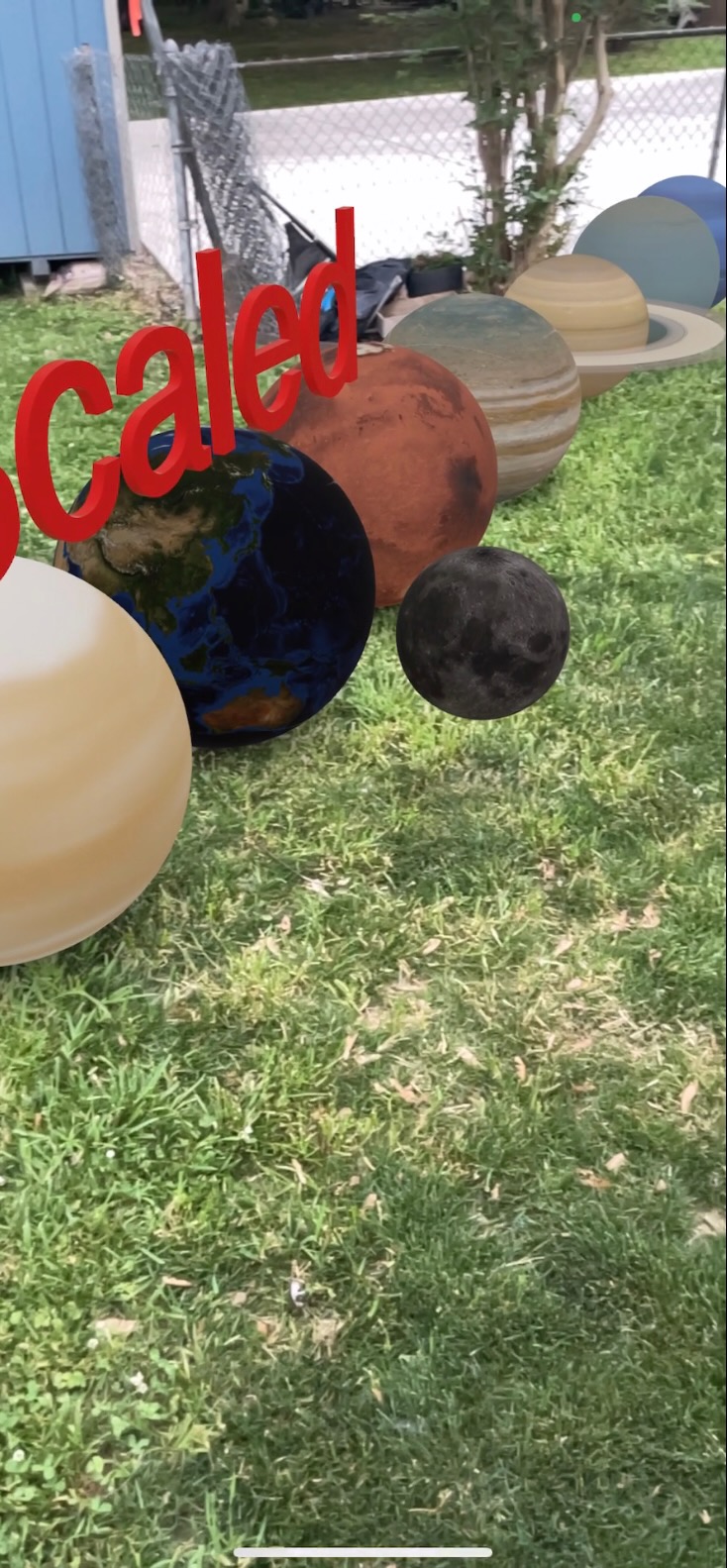
After I had all of the files downloaded, I had to import them into Reality Composer. I had decided that I wanted show the planets in two different ways. The first way was to show all of the planets lined up and the same size. This would allow someone to walk along all of the planets and look at the different aspects of each of the planets. I even included a model of the Moon that is placed beside the Earth. The second way that I would show the planets is sized relative to their real size. In order to do this, I pulled the planet’s equatorial radius from the NASA website and calculated their size as a percentage when compared to the sun. The reason that I did it this way was because all of the planet models are all the exact same size, so I needed to use percentages to make them all relative in size. I wasn’t able to scale down to 0.35%, because the model was so small that you could not hardly see it when you placed the model on the ground. I then scaled everything up so Mercury, which is the smallest planet, was 4.00% of the actual model sizes and scaled everything else up the same percentage.
| Celestial Body | Equatorial Radius (Miles) | Size Compared To Sun | Size Scaled Up |
|---|---|---|---|
| Sun | 432,690 | 100% | 1,142% |
| Mercury | 1,516 | 0.35% | 4.00% |
| Venus | 3,760 | 0.87% | 9.92% |
| Earth | 3,959 | 0.91% | 10.45% |
| Mars | 2,106 | 0.49% | 5.56% |
| Jupiter | 43,441 | 10.04% | 114.56% |
| Saturn | 36,184 | 8.36% | 95.50% |
| Uranus | 15,759 | 3.64% | 41.59% |
| Neptue | 15,299 | 3.54% | 40.38% |
Completing The Project
Now that I have one scene completed with all of the models the same size and one scene completed with all of the planets placed together and scaled appropriately, I needed to bring both of these scenes together, and this is where Reality Composer really stands out. I created a button on each of the scenes that will allow someone to tap on the button on their screen and it will switch over to the other scene. Have fun playing around with this project and let me know what project you would like to see me create next!!!